> ## Documentation Index
> Fetch the complete documentation index at: https://notiky-mintlify-7d868fcc.mintlify.site/llms.txt
> Use this file to discover all available pages before exploring further.
# Setup with AI
> Copy-paste this prompt into Cursor, Claude Code, or Copilot to install Notiky, log in, start the daemon, and verify your runtime — no manual commands.
Give this to your coding agent if you'd rather not run install commands yourself. It covers install, login, daemon, and verification — the same path as [Cloud Quickstart](/cloud-quickstart).
 ```
Install and configure Notiky on this machine so I can assign agent tasks from the Notiky web app.
1. Install the Notiky CLI:
curl -fsSL https://get.notiky.com | bash
2. Run interactive setup (login + workspace + daemon):
notiky setup
3. Verify the daemon is running and agent CLIs are detected:
notiky daemon status --output json
4. If no agent CLI is detected, tell me which of these I should install first based on what's missing:
Claude Code (claude), Codex (codex), OpenCode (opencode), Cursor Agent (cursor-agent),
Copilot (copilot), OpenClaw (openclaw), Hermes (hermes), Gemini (gemini), Pi (pi)
5. After any new agent CLI is installed, run:
notiky daemon restart
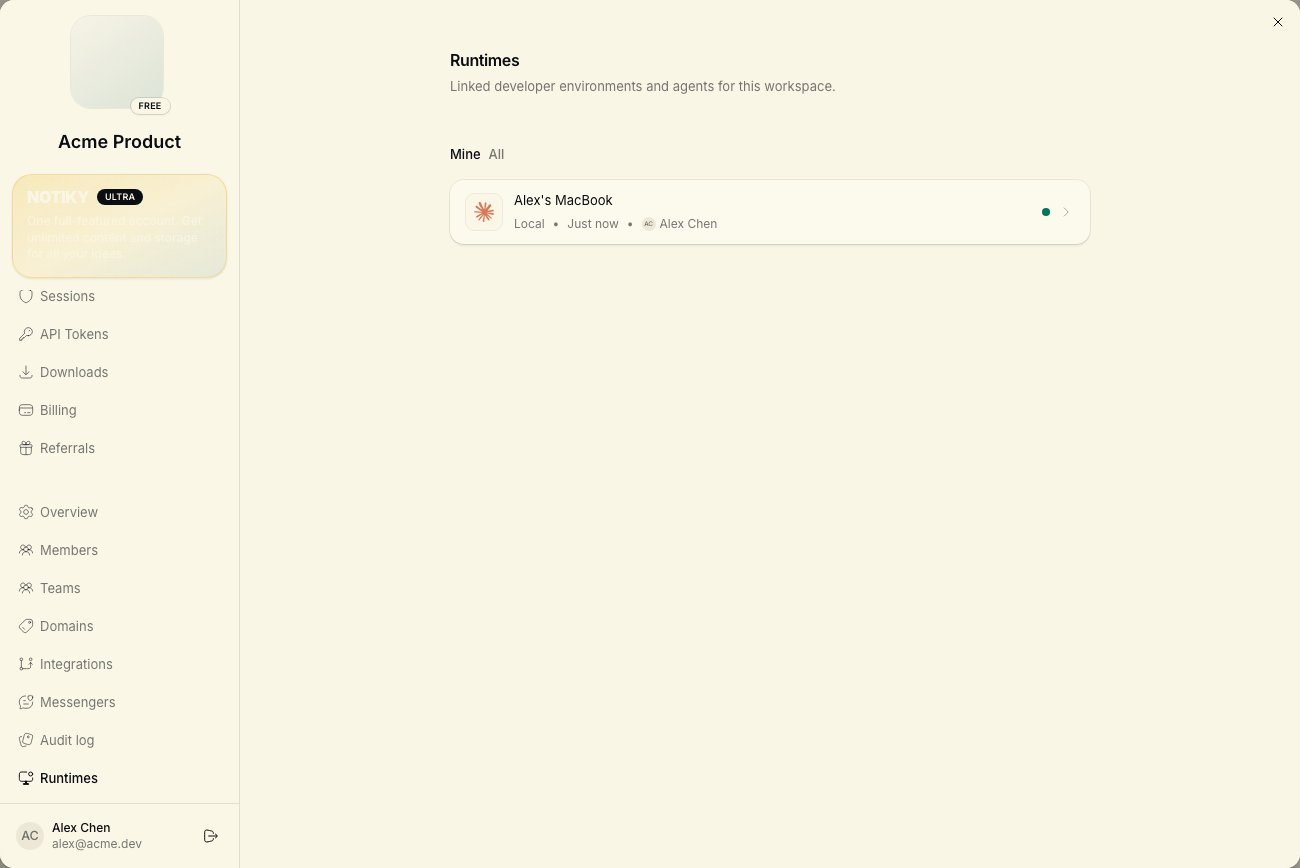
6. Confirm my machine appears online under Settings → Runtimes in the Notiky web app.
Do not modify my application source code unless I ask. Report any errors verbatim.
```
***
## When to use this
* You're a **founder or PM** pairing with a technical agent for one-time setup
* You're on a fresh machine and want hands-off install
* You already use Cursor or Claude Code daily and prefer agent-driven ops
## When to skip this
* You want full control — follow [CLI installation](/cli/installation) directly
* You're connecting to **self-hosted** Notiky — set `NOTIKY_APP_URL` and `NOTIKY_SERVER_URL` first (see [Connect your machine](/developers/connect-your-machine))
***
## After setup
```
Install and configure Notiky on this machine so I can assign agent tasks from the Notiky web app.
1. Install the Notiky CLI:
curl -fsSL https://get.notiky.com | bash
2. Run interactive setup (login + workspace + daemon):
notiky setup
3. Verify the daemon is running and agent CLIs are detected:
notiky daemon status --output json
4. If no agent CLI is detected, tell me which of these I should install first based on what's missing:
Claude Code (claude), Codex (codex), OpenCode (opencode), Cursor Agent (cursor-agent),
Copilot (copilot), OpenClaw (openclaw), Hermes (hermes), Gemini (gemini), Pi (pi)
5. After any new agent CLI is installed, run:
notiky daemon restart
6. Confirm my machine appears online under Settings → Runtimes in the Notiky web app.
Do not modify my application source code unless I ask. Report any errors verbatim.
```
***
## When to use this
* You're a **founder or PM** pairing with a technical agent for one-time setup
* You're on a fresh machine and want hands-off install
* You already use Cursor or Claude Code daily and prefer agent-driven ops
## When to skip this
* You want full control — follow [CLI installation](/cli/installation) directly
* You're connecting to **self-hosted** Notiky — set `NOTIKY_APP_URL` and `NOTIKY_SERVER_URL` first (see [Connect your machine](/developers/connect-your-machine))
***
## After setup